

Snapseed QR codes have taken the mobile photography world by storm. With a simple scan, these unique codes allow photographers to instantly apply complex edits to their images. As mobile photographers, we were immediately intrigued by the possibilities of Snapseed QR codes.
We will cover everything from understanding how they work to leveraging them for enhanced creativity. We aim to provide readers with a complete resource to take full advantage of this innovative technology.
Contents
A Primer on Snapseed QR Codes
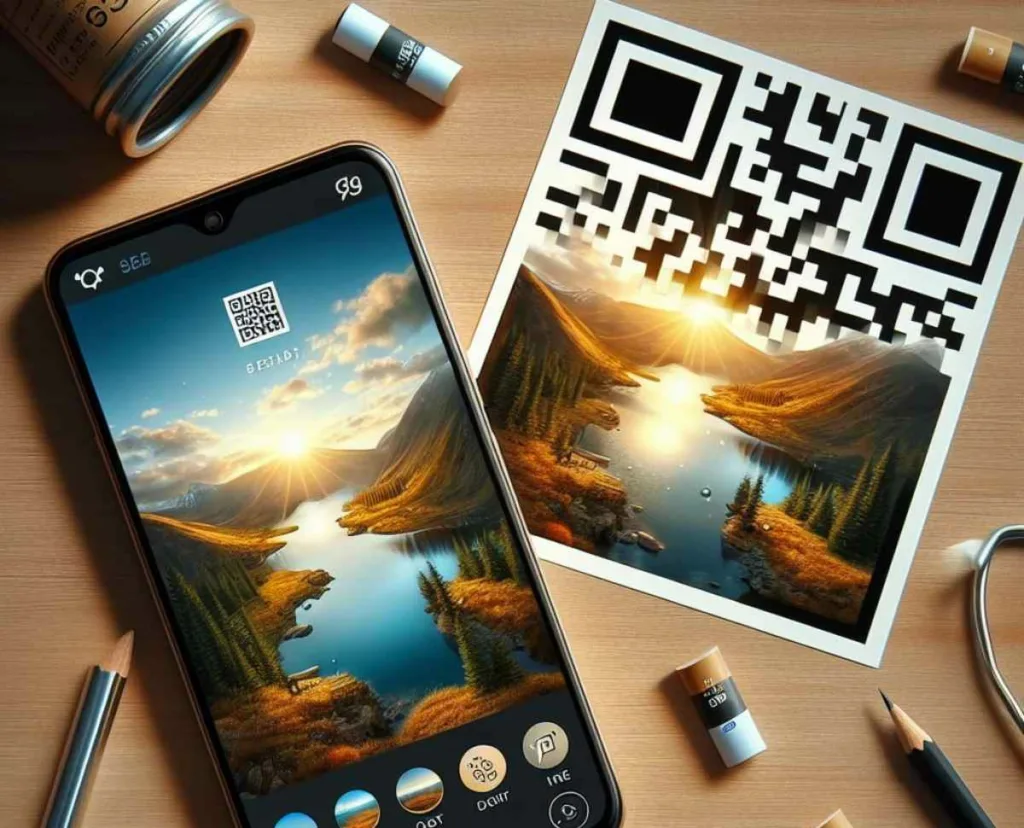
Before diving further, let’s first build a foundational understanding of Snapseed QR codes and how they function.
What Are Snapseed QR Codes?
Snapseed QR codes are specialized QR codes that contain editing presets for the Snapseed photo editing app. By scanning these codes within the Snapseed app, users can instantly apply the saved edits to their images.
How Do Snapseed QR Codes Work?
The process of using Snapseed QR codes is straightforward:
- Scan: Open the Snapseed app and scan a Snapseed QR code using the phone’s camera.
- Apply: Snapseed decodes the information within the QR code and automatically applies the contained preset to the photo.
- Adjust: The user can then fine-tune the preset edits to suit their preferences.
And that’s it! With an efficient scan-apply-adjust workflow, Snapseed QR codes offer immense convenience for mobile photo editing and style consistency.
Benefits of Snapseed QR Codes
Now that we understand the basic premise behind Snapseed QR codes, let’s explore the key benefits they offer:
- Speed – Instantly apply complex styles with a simple scan. No more fiddling with individual edits.
- Consistency – Maintain uniform styles across batches of images by reusing your favorite presets.
- Customization – Create your very own presets tailored to your preferences and needs.
- Sharing – Easily distribute your unique editing style by sharing your custom QR codes.
- Convenience – Hassle-free access to advanced editing techniques without intensive learning curves.
As we can see, Snapseed QR codes grant users efficiency, consistency, control, and convenience – all precious advantages for mobile photographers.
Creating Custom Snapseed QR Codes
Custom QR Code Generator
One of the most empowering aspects of Snapseed QR codes is the ability to create our very own. Let’s learn how to design custom presets and generate unique QR codes.
Crafting Your Custom Preset
- Open your image in the Snapseed app and apply your desired edits. These include tune images, curves, HSL, filters, vignettes, and textures.
- Once satisfied with your edits, tap the Export button and select “QR Code.”
- Name your preset style, then tap “Save” to generate and save the QR code.
We can craft high-quality presets tailored to our editing style and requirements with these simple steps.
Tips for Creating Versatile QR Codes

Here are some tips we utilized when designing our custom Snapseed QR codes:
- Focus on versatility – avoid overly niche styles.
- Use subtle vintage filters for timeless appeal.
- Retain natural skin tones in portrait presets.
- Create different versions for color and black-and-white.
- Strike a balance between stylized and realistic.
- Build presets for your most used photo subjects.
By keeping versatility and real-world usage in mind, we produced presets perfect for our needs.
Quick-Start Guide to Rolling Your QR Codes
For those eager to start creating their own Snapseed QR codes, follow this quick-start guide:
- Pick a photo – Select an image to design your preset with.
- Edit – Apply your desired effects until you’re happy.
- Export > QR Code – Save the preset and generate the code.
- Name – Give your creation a descriptive name.
- Save – Finalize saving the QR code.
- Print or Share – Print the code or save the image file to distribute.
And that’s all it takes to start producing your own personalized Snapseed QR codes!
Popular Types of Snapseed QR Codes
Snapseed’s editing tools can be used to create QR codes in just about any style imaginable. However, our exploration of the photography community identified several of the most prevalent categories.
Portrait Presets
Portrait images are a common subject for many mobile photographers. As such, portrait-focused QR code presets are widely shared and used. Here are some common traits:
- Enhanced skin smoothing and tone
- Subtle glow for a radiant effect
- Gentle fade vignettes to draw attention to the subject
- Warm white balance for pleasing skin
- Reduced clarity to soften away blemishes/imperfections
For example, these QR codes above apply to a gorgeous portrait style.
Film Emulation Presets
Emulating the look of classic film stocks remains wildly popular. This vintage style is easy to achieve in Snapseed using the film stock filters. Typical hallmarks include:
- Nostalgic faded tone
- Heightened light leaks and lens flair
- Exaggerated muted colors
- Increased graininess and texture
- Vignetted edges
Black and White Presets – Monochrome
Monochrome photography boasts an enduring appeal. Transforming photos into stark yet captivating black and white is effortless with Snapseed’s tools. Attributes of B&W codes:
- Rich grayscale contrast using curves
- Punched up clarity and structure
- Gain applied for additional texture
- Slight vignette to draw the eye
Colorful/Pastel Presets
On the other end of the spectrum, vibrant color presets also abound. These inject images with bright, saturated hues or whimsical pastel palettes. Examples include:
- Bumped up saturation and vibrance
- Color filters to introduce unified tone
- Selective color pops on focal points
- Light leaks for ethereal flair
- Dust textures for a dreamy effect
Check out this QR code for vivid summer inspiration.
Leveraging Community Wisdom
One of the most valuable facets of Snapseed’s QR code system is how it enables creative collaboration and sharing within the mobile photography community. There is so much to gain by engaging with this vibrant ecosystem.
Exploring Existing Snapseed QR Code Libraries
Numerous photographers have compiled libraries of their handcrafted Snapseed QR codes to share with the community. Here are some excellent ones we recommend checking out:
- Snapseed Presets by FilterGrade is a massive collection of stylish codes.
- David’s Presets – This gorgeous selection is perfect for nature shots.
- SnapseedCodes.com – User-submitted presets spanning many genres.
Perusing these libraries is a treasure trove of photographic inspiration. We can discover new styles, get examples to inform our designs, and instantly elevate our images with incredible presets.
Participating in QR Code Challenges
Some users have organized “challenges” centered around Snapseed QR codes to spur creativity and engage the community. These competitive events provide prompts and constraints focused on producing ingenious presets.
Here are some examples of creative Snapseed QR code challenges we have seen:
- Vintage Challenge – Create the best vintage-style QR code using only the Retrolux filter.
- Portrait Challenge – Craft a flattering portrait code that retains a natural skin tone.
- Minimalist Challenge – Design a dramatic two-tone black and white code with one filter only.
Partaking in these challenges pushes our skills and ingenuity. The shared results flood the community with inspiration.
Attending Live QR Code Workshops
In addition to online sharing, some photographers have begun hosting live workshops focused exclusively on elevating mobile editing skills by creating specialized Snapseed QR codes.
These hands-on sessions teach critical skills like:
- Combining filters effectively
- Using curves for brilliant contrast
- Adding natural-looking grain
- Applying subtle vintage touches
- Balancing edits for ideal results
The live interactive nature of in-person workshops gives invaluable insights into designing pro-level Snapseed presets.
Giving Back to the Community
As we gain knowledge and experience with Snapseed QR codes, we feel compelled to give back to the mobile photography community that has shared so much with us:
- Share your presets – Upload your custom codes to online libraries for others to enjoy.
- Lead a workshop – Teach others your QR creation skills in a fun, collaborative environment.
- Start a challenge – Spark creativity and friendly competition with QR code challenges.
- Be inspiring – Share sample images edited with codes to showcase possibilities and inspire peers.
By actively engaging with other Snapseed users, we can help advance the entire mobile editing community.
Integrating Snapseed QR Codes into a Photography Workflow
Now that we have covered the foundations of Snapseed QR codes let’s explore ways to integrate them tightly into an efficient mobile photography workflow.
Streamlining Photo-Editing with QR Codes
Snapseed QR codes enable us to trim significant time off our image post-processing. Here is how we leverage them for maximum editing efficiency:
- Organize codes into categories – Group codes by style (portrait, landscape, monochrome, etc) for quick access.
- Apply general code first – Use broader presets as a base before refining further.
- Refine subtly – Make minor tweaks to refine style rather than drastic changes.
- Reuse codes liberally – Don’t hesitate to retouch images with appropriate codes. Consistency in style is a good thing!
- Make new codes for missing needs – If struggling to fit an image, design a custom preset you can reuse.
This refined approach can cut our editing time in half while retaining beautiful, polished images.
Photography Field Workflow with QR Codes
We can also improve efficiency in the field during an active photoshoot with Snapseed QR codes:
- Bring code printout – Print a collage sheet of your most essential QR codes for quick access.
- Take test shots – Snap test images to gauge the scene’s lighting.
- Scan and review – Cycle through scanning different codes to visualize style options.
- Dial in on best code – Determine the ideal code to match the scene’s tone and colors.
- Adjust shooting – Tweak camera settings based on test scans if needed.
- Apply code batch – Scan chosen code onto final selects in post for a cohesive style.
This streamlined approach allows us to narrow in on an optimal unified style for the scene even before the shoot is complete.
Creative Impact of Snapseed QR Codes
Beyond efficiency gains, Snapseed QR codes also profoundly impact mobile photography’s creative possibilities.
Artistic Control and Flexibility
The ability to craft our custom presets grants unmatched control over defining our photographic style. We can fine-tune details to perfection and make tailored codes for different concepts.
Some examples of leveraging QR codes artistically:
- Stylize urban shots with a moody black-and-white code.
- Use a faded retro code on old architecture images for added character.
- Apply a light and airy code to complement natural scenes.
- Design rich teal and orange preset for evocative portraits.
- Package similar event images with a consistent celebratory look.
The creative options are endless when we fully utilize customized QR codes.
Streamlining Experimentation
Experimenting with new styles during a shoot is more efficient with Snapseed QR codes. We can swiftly test out very different looks and moods on location.
Consider these examples:
- Cycle through colorful presets to see which flatters fall scenery most.
- Flip between vintage codes to nail down the perfect faded retro vibe.
- Shift from B&W to original to sepia for diverse perspectives of the same monument.
- Check softened portrait codes vs. bold contrasty codes on a model test shoot.
Visualizing such diverse options rapidly enables us to explore styles fearlessly.
Sparking Inspiration
Browsing the wide range of QR codes shared online never fails to ignite our creative spark and plant ideas for capturing and editing images.
A few ways these codes inspire:
- Admiring code creators’ ingenious editing techniques.
- Discovering new ways to utilize tools we overlook.
- Finding ideal edits to flatter certain photo subjects.
- Gaining perspectives on which tools complement each other best.
- Thinking about fresh topic ideas that would pair well with specific effects.
Surrounding ourselves with the creative output of others pushes us to improve our craft and explore new creative territory.
Final Thoughts
Snapseed QR codes reveal immense untapped potential. These clever codes can save time, lend artistic flexibility, and connect us with a community passionately pursuing mastery of mobile photography.
As we continue applying Snapseed QR codes in our workflows, we look forward to designing more inventive styles to share with our peers. The possibilities to craft unique looks are endless.
For any mobile photographer seeking to take their images to the next level, we highly recommend fully embracing Snapseed QR codes. The convenience and creative benefits are too substantial to ignore. With a committed approach, these codes will quickly transform mobile photography from a casual hobby to a refined art form.
The future looks bright and full of potential as mobile technology evolves. But for now, Snapseed QR codes are one of the most empowering advancements for elevating mobile photographic creativity. We hope this guide provided enlightening inspiration to help fellow photographers disclose their potential using these brilliant codes. Let’s keep pushing boundaries together!