


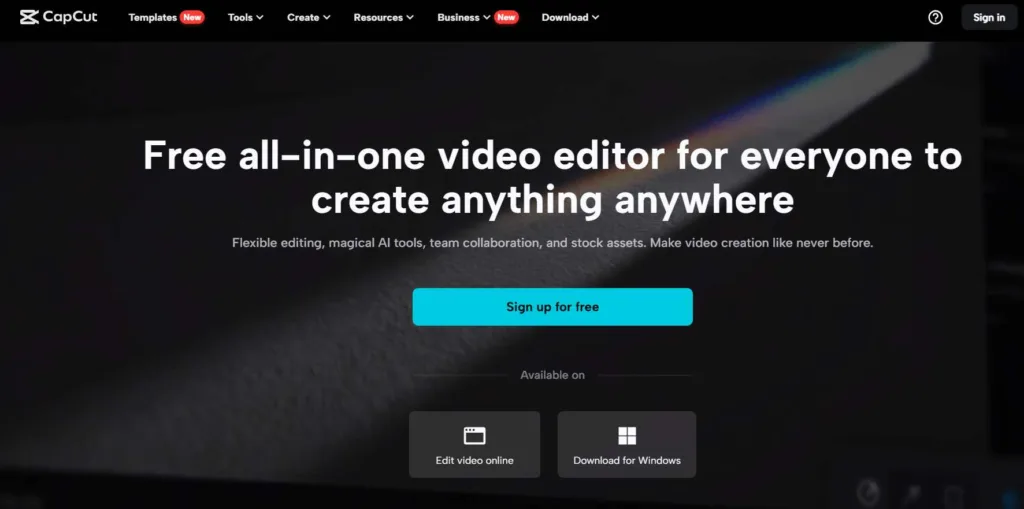
The CapCut Creative Suite is a comprehensive solution that includes a wide range of tools that are essential for current content creators in the rapidly evolving world of digital creativity. A cutting-edge avatar maker, an online video editor, an online image writer, of formats for personal and business use, a noteworthy no-watermark feature, clever tools, creative cloud insertion, and team collaboration features are all included in this all-in-one package. Together, these elements create a flexible toolkit that meets the different needs and goals of content creators and digital artists.
Contents
Intuitive and Powerful Video Clipping
You know what’s cool about CapCut Creative Suite? It’s got this online video editor that’s a breeze to use. Whether you’re just starting out or have been editing videos for years, it’s got your back. Its design is straightforward so you won’t get lost in complicated settings. Want to trim a bit off the start or end of your video? No problem. Looking to play around with the colors a bit? You can do that too. Plus, it’s packed with awesome special effects and transitions to make your videos really stand out. And the cherry on the cake? You can work with multiple video layers at once. Pretty neat, right?


A Plethora of Editing Options
Complementing the online video editor is the online image editor. This editor provides a plethora of editing options, from simple cropping and resizing to intricate layer-based editing. It supports various file formats and offers a range of filters and effects, enabling users to enhance their images with professional finesse. Whether for creating standalone images or integrating them into video projects, this editor is a valuable asset.
Templates for Personal and Commercial Use
So, you might be wondering, “How do I use these templates in my projects?” Well, it’s a breeze. Once you’ve chosen a template that catches your eye, you can easily change the colors, fonts, and images to suit your taste. And, hey, don’t be afraid to experiment. The beauty of CapCut Creative Suite is that it encourages creativity. So go ahead, play around, and make something that’s entirely your own. It’s not just about making things easier, but also about putting your unique stamp on your projects. How cool is that?
No Watermark Promise
The no-watermark promise of the CapCut creative suite isn’t just an added benefit—it’s a game-changer in the realm of content creation. In a digital landscape where branding and visual cleanliness are paramount, CapCut’s commitment to unbranded exports allows creators to present their work with an unblemished aesthetic. This lack of compulsory watermarking contrasts sharply with many other editing solutions, which often impose their logos onto users’ outputs, diluting the creator’s brand presence.
For professionals and businesses, the ability to produce and distribute content without the distraction of a third-party watermark means that the spotlight remains on their branding, not on the tools used to create it. This clean, unbranded content is more appealing and can be critical for those who wish to maintain brand integrity and a high level of professionalism in their visual communications.
Smart Tools
The CapCut creative suite’s smart tools section, which contains the ground-breaking improved sharpen image online feature, is a mainstay that enhances editing. These tools combine innovative technology and intuitive user interfaces, each having been carefully created with a profound understanding of the typical obstacles and laborious tasks creators frequently encounter. This clever toolkit, which includes an online sharpening tool, not only simplifies the task of editing but also develops new possibilities for innovation.
Auto-Captioning:
This feature is very helpful for content creators who want to increase the reach and interaction of their work. With auto-captioning, precise subtitles for videos are generated for you using cutting-edge speech detection technology.
Background removal
Background removal from photos and videos can be done in a hurry with the help of this tool. It can differentiate between the subject and the background using intricate algorithms, making it simple for developers to change or alter the background.
Motion Tracking:
Motion tracking within the suite adds an advanced level of professionalism to video projects. This tool enables objects or effects to follow a moving element in the video seamlessly.
Additional Smart Tools:
Beyond these key features, the suite includes a variety of other smart tools designed to optimize the creative process. These might include color correction presets, audio enhancement filters, and automated editing suggestions based on the content type and style.
Creative Cloud
Additionally, the creative cloud integration makes it easier for both individuals and teams to work together easily. Regardless of where they live in reality, team members can access and edit projects at once, enabling real-time collaboration. In today’s global often remote work environments, where cooperation and prompt input are essential to the successful completion of projects, this feature is particularly useful. For content creators who depend on the safety and soundness of their digital work, cloud storage also serves as a safeguard against data loss, providing that all kinds of a projects are saved and obtainable in the event of a hardware malfunction.


Team Collaboration
Recognizing the collaborative nature of content creation, the CapCut creative suite includes features for team collaboration. Multiple users can work on a project simultaneously, offering real-time feedback and edits. This aspect is crucial for teams working remotely or for projects that require input from various stakeholders.
Conclusion
With its wide toolkit, the CapCut creative suite stands for a revolution in content creation. In tandem with its many editing tools, templates, bright tools, online access, and teamwork features, its promise of having no watermark makes it an extremely powerful ally for creators. This suite can be used to create artistic content, commercial advertisements, or personal vlogs. It is proof of the potential of contemporary digital creativity.
It’s not just about the range of tools available; it’s also about the freedom and seamless experience they offer. The constraints of traditional editing software and incurable branding are things of the past for creators. With the CapCut creative suite, you can enter a world where innovative thinking and reality meet and where your only limit is your vision.
To sum up, the CapCut original suite is a key to unleashing creative potential rather than only a set of editing tools. It is an outstanding role model for content creators around the world because of its focus on quality, usability, and possibilities for cooperation. Having a suite that knows and adjusts to the changing needs of the digital designer is just as important to boosting content as having the right resources. CapCut does this by ensuring that each piece of writing created is both great and relevant to the target audience.